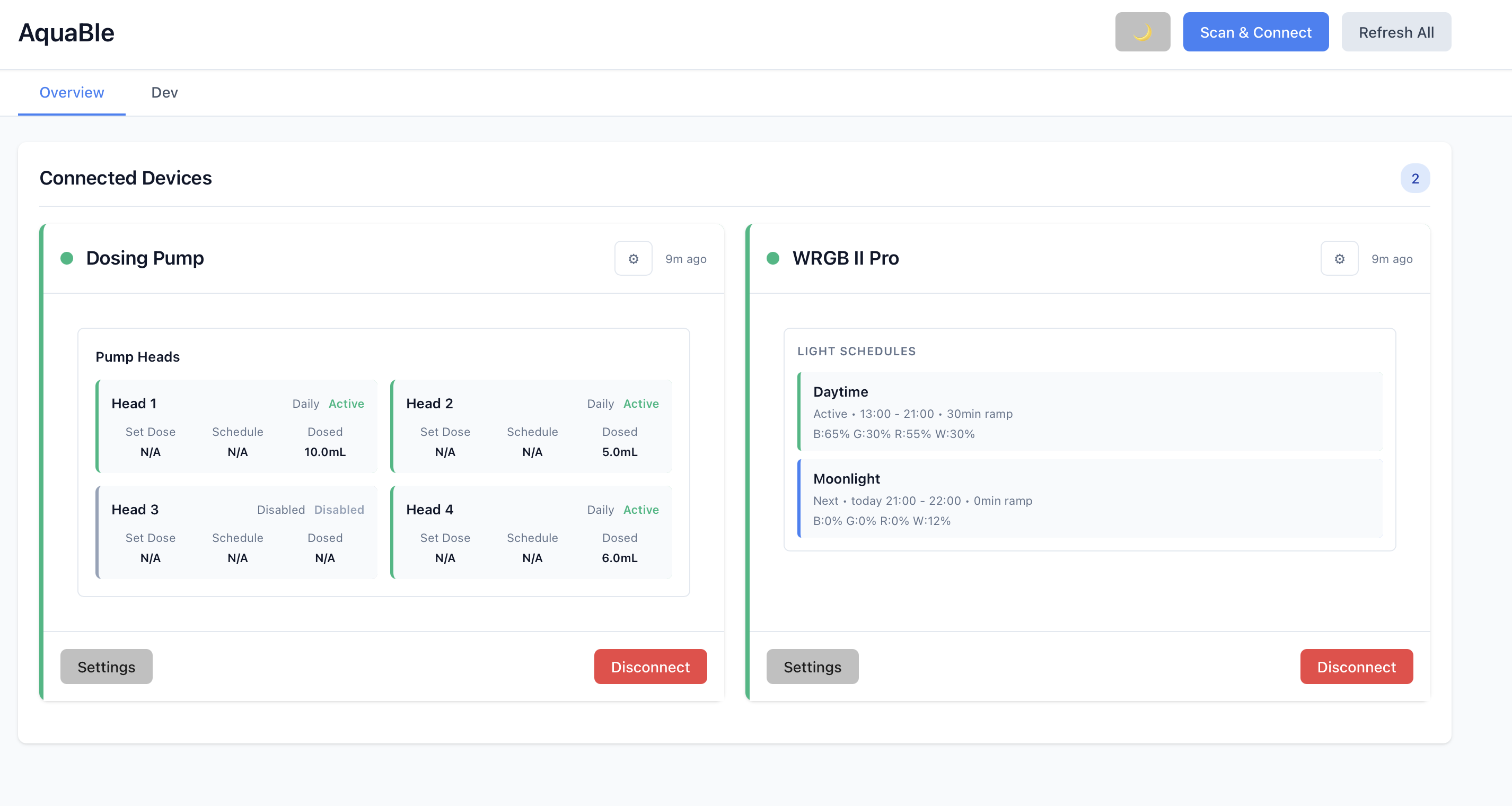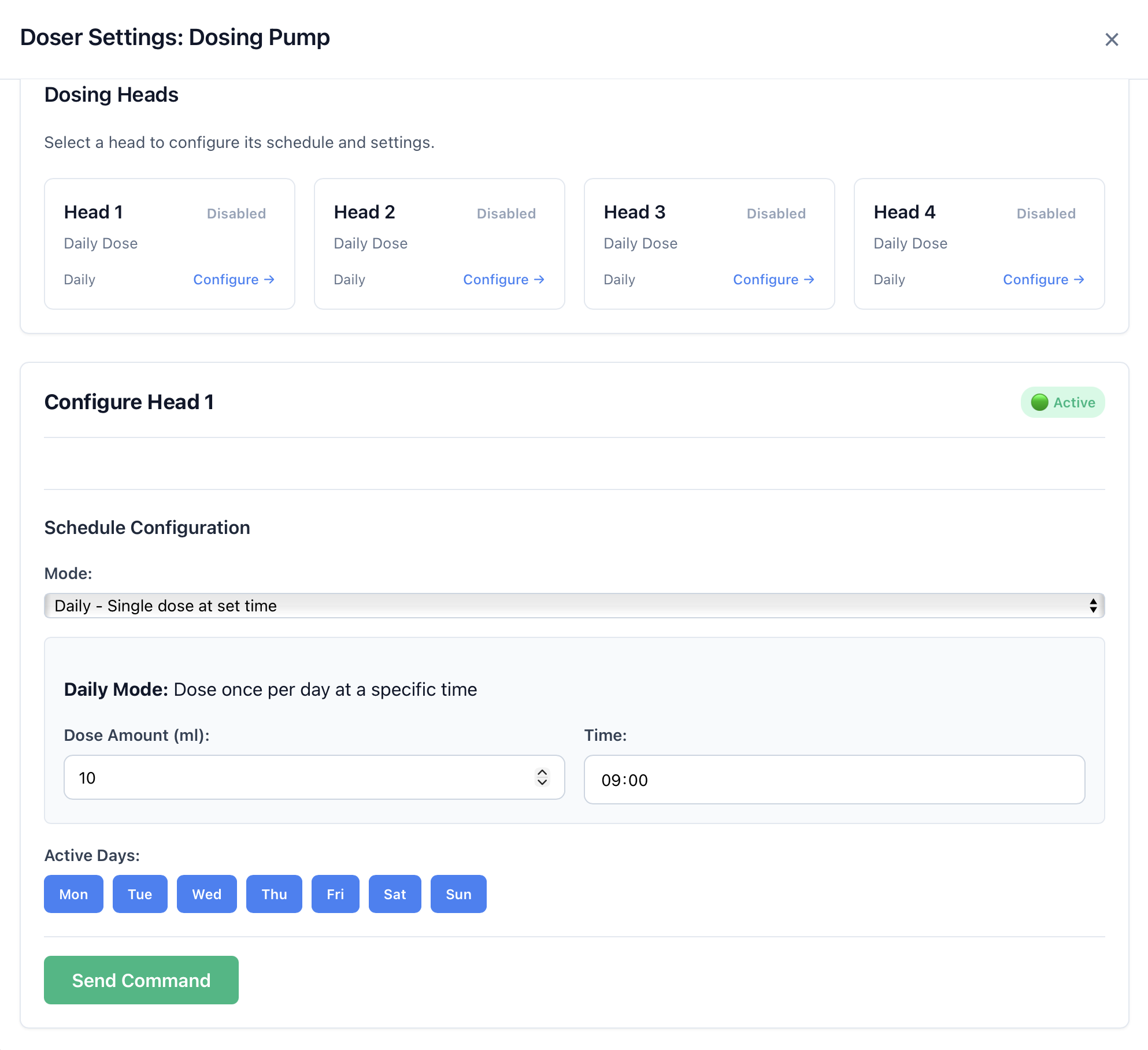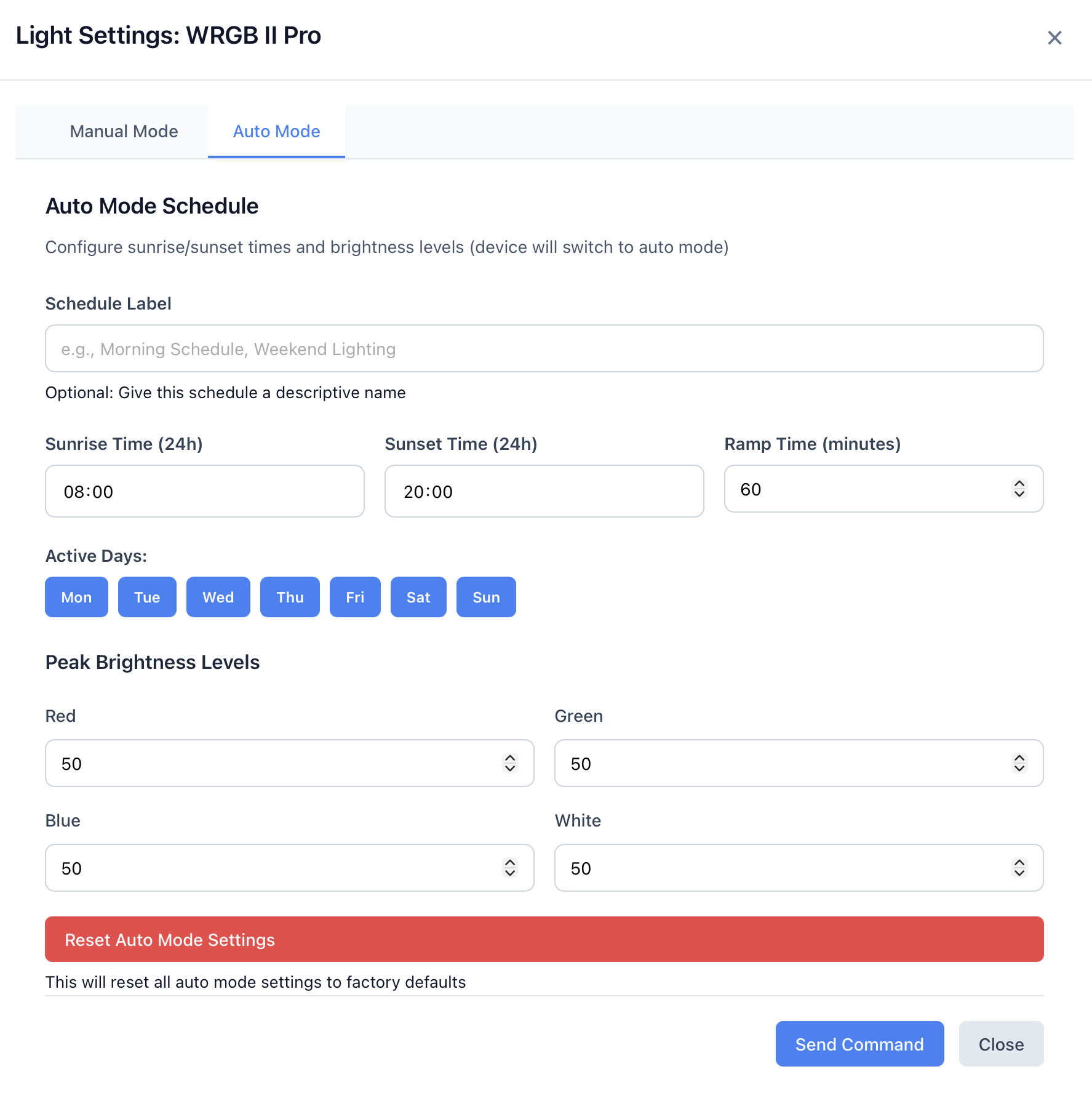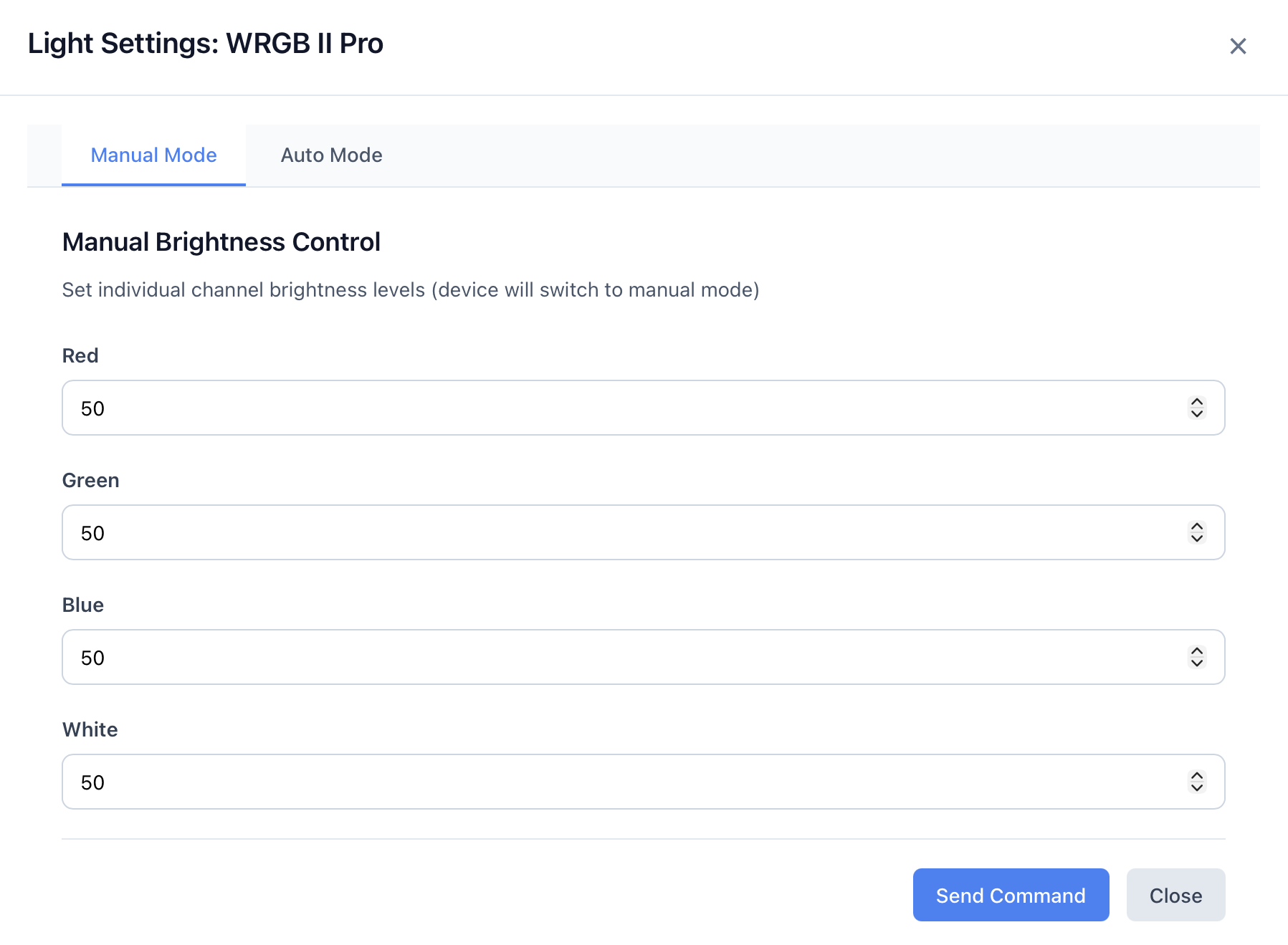
AquaBle (pronounced "AK-wuh-bul" /ˈækwə//bəl/) is a lightweight Home Assistant add-on that gives you control over your Chihiros aquarium devices directly from the Home Assistant interface. Manage your LED lights, dosing pumps, and terrarium gear seamlessly with integrated Ingress support—no port forwarding or complex configuration needed.
Status: In very active development at a very early stage. Expect new features and refinements soon.
License: GPLv3 | Requirements: Home Assistant OS or Supervised, Python 3.10+
Legal Disclaimer: This project is not affiliated with, endorsed by, or approved by Chihiros Aquatic Studio or Shanghai Ogino Biotechnology Co., Ltd. This is an independent, open-source software project developed through reverse engineering and community contributions. Use at your own risk.
Supported Devices
- Chihiros LED Aquarium Lights - Control brightness, color temperature, and schedules
- Chihiros Dosing Pumps - Manage dosing schedules and calibration
Requirements
- Home Assistant OS or Supervised installation
- Bluetooth adapter with BLE (Bluetooth Low Energy) support
- Compatible Chihiros device in pairing mode
- Python 3.10 or higher (included in Home Assistant)
Maintained by Caleb Venner. Built on the open-source Chihiros LED Control project by Michael Dietrich. The original project is licensed under MIT; all redistributions continue to honour that license and retain the upstream attribution.
Installation
AquaBle is distributed as a Home Assistant add-on with Ingress support for seamless access.
- In Home Assistant, go to Settings → Add-ons & integrations → Add-ons
- Click the three-dot menu (⋮) and select Repositories
- Add the custom repository:
https://github.com/caleb-venner/AquaBle - Go to the Add-ons store and search for AquaBle
- Click Install and then Start
- Click OPEN WEB UI to access the interface via Home Assistant Ingress
Note: Ensure your Home Assistant host has a working Bluetooth adapter with BLE support and the necessary permissions before installation.
Home Assistant Ingress
AquaBle is designed exclusively for Home Assistant Ingress:
- Direct Access: Interface accessible through the Home Assistant UI
- Zero Configuration: No port forwarding or authentication setup required
- Seamless Integration: Feels like a native Home Assistant feature
- Mobile Ready: Works perfectly on Home Assistant mobile apps
For technical implementation details, see the Ingress documentation.
Screenshots